The first timesheet your team will actually enjoy filling out :)
Nobody likes tracking time (we get it 😅). That’s why we made it fast, painless, and adaptable to your company’s rules. Choose your preferred level of detail at the company level to keep everyone aligned:
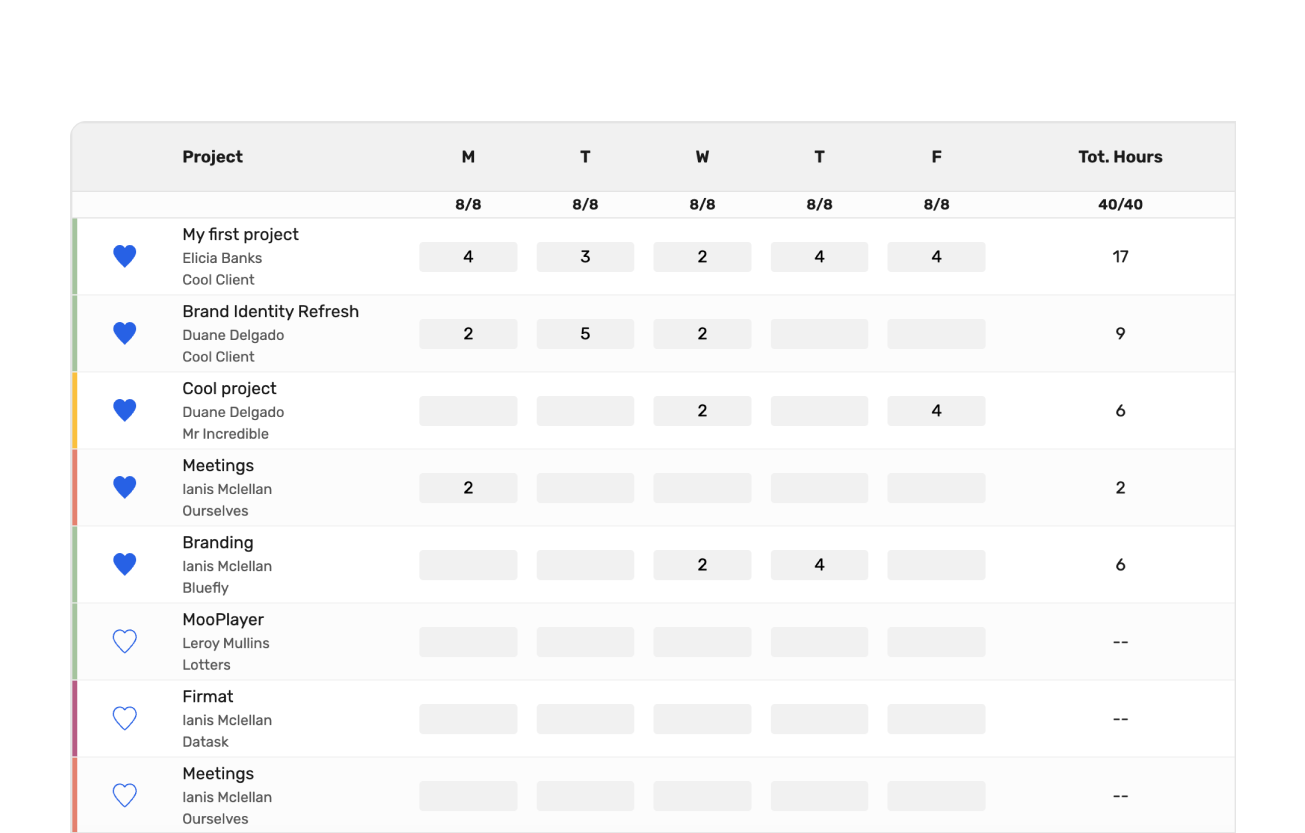
Simple timesheet
For those who prioritize speed. The team logs hours against the project as a whole. Fast and painless.
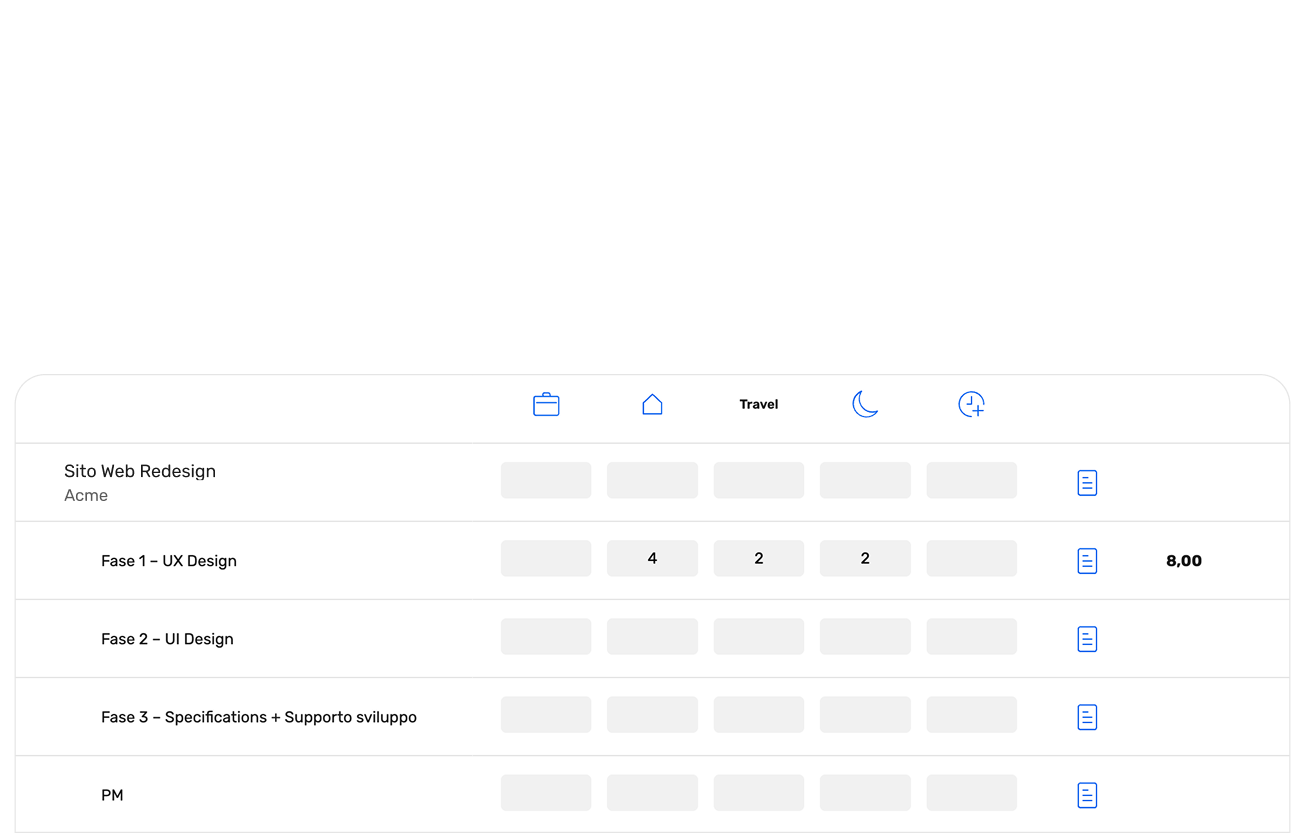
Detailed timesheet
For those who need analytical precision. The team assigns hours to specific budget areas and specifies the work mode: office, remote, travel, or overtime.
Friday's Reminder
wethod sends an automated notification before the weekend (or daily, if you prefer) to remind everyone to wrap up their week. A discreet assistant that helps the team keep data up to date, so you don't have to spend your Monday morning chasing people.
Smart recalculation: wethod "does the math" over the weekend
Why is it so important to close your timesheet on Friday? Because wethod works while you rest. The system reconciles your planned work (People Allocation) with your actual hours (Timesheet) and reorganizes the future.
Unused hours? Back to the budget. Extra hours? They're deducted
If you allocated 10 hours to a team member but they only used 6, wethod automatically returns the remaining hours to the project — ready to be rescheduled for the following week.
If they worked more, the remaining budget decreases accordingly.
The result?
On Monday morning you'll find the data updated and aligned with reality. All you have to do is read it, interpret it, and hope there are no disasters to fix (fingers crossed! 🤞).
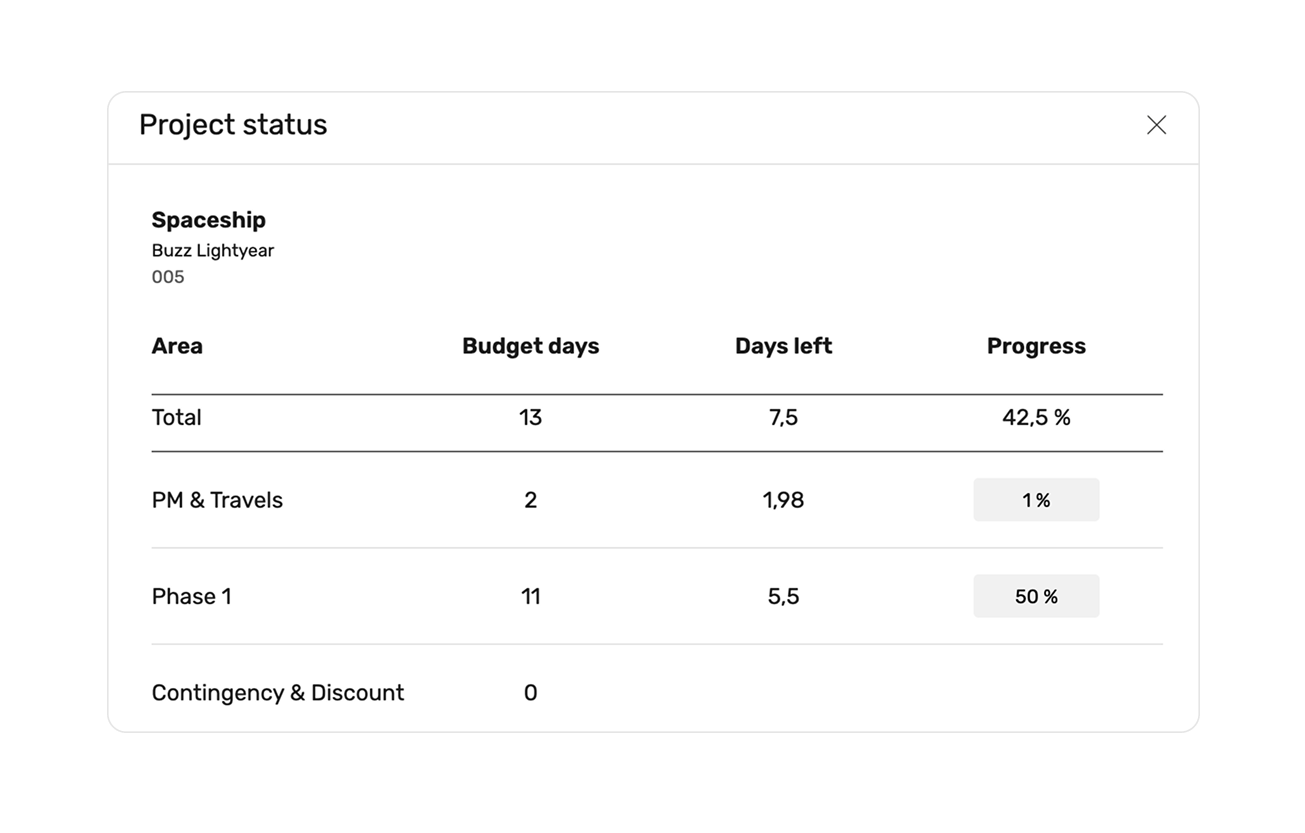
Project Status: logged hours aren’t the full story
A team can log 100 hours but only complete 10% of the project. The Timesheet tells you "what we spent," but the Project Status tells you "where we stand."
Reported hours are the past. To manage the future, you need input from those leading the project. In this section, Project Managers update the weekly Estimate to Complete (ETC), independent of the timesheet. Because burning through half the budget doesn’t (unfortunately) mean you’ve finished half the work.
Project Report: real-time margins and forecasting
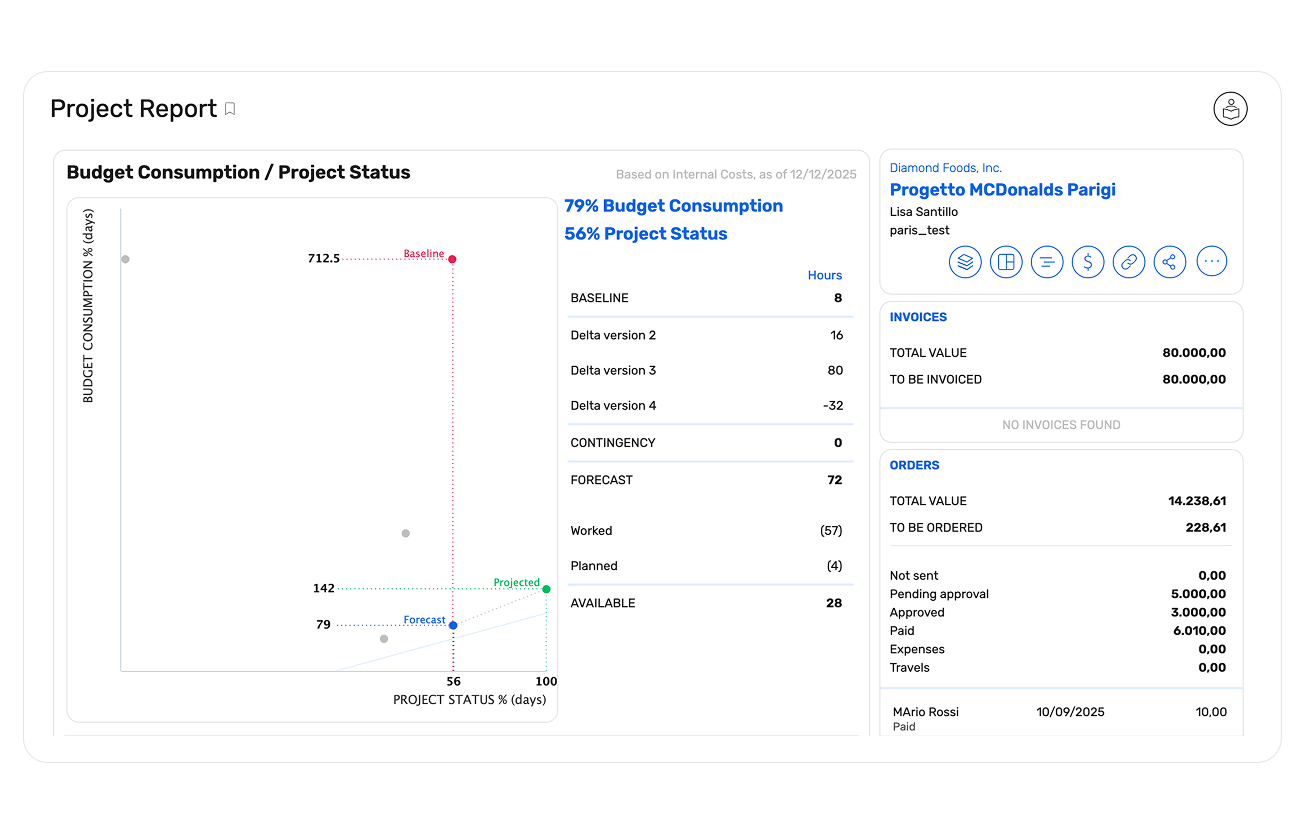
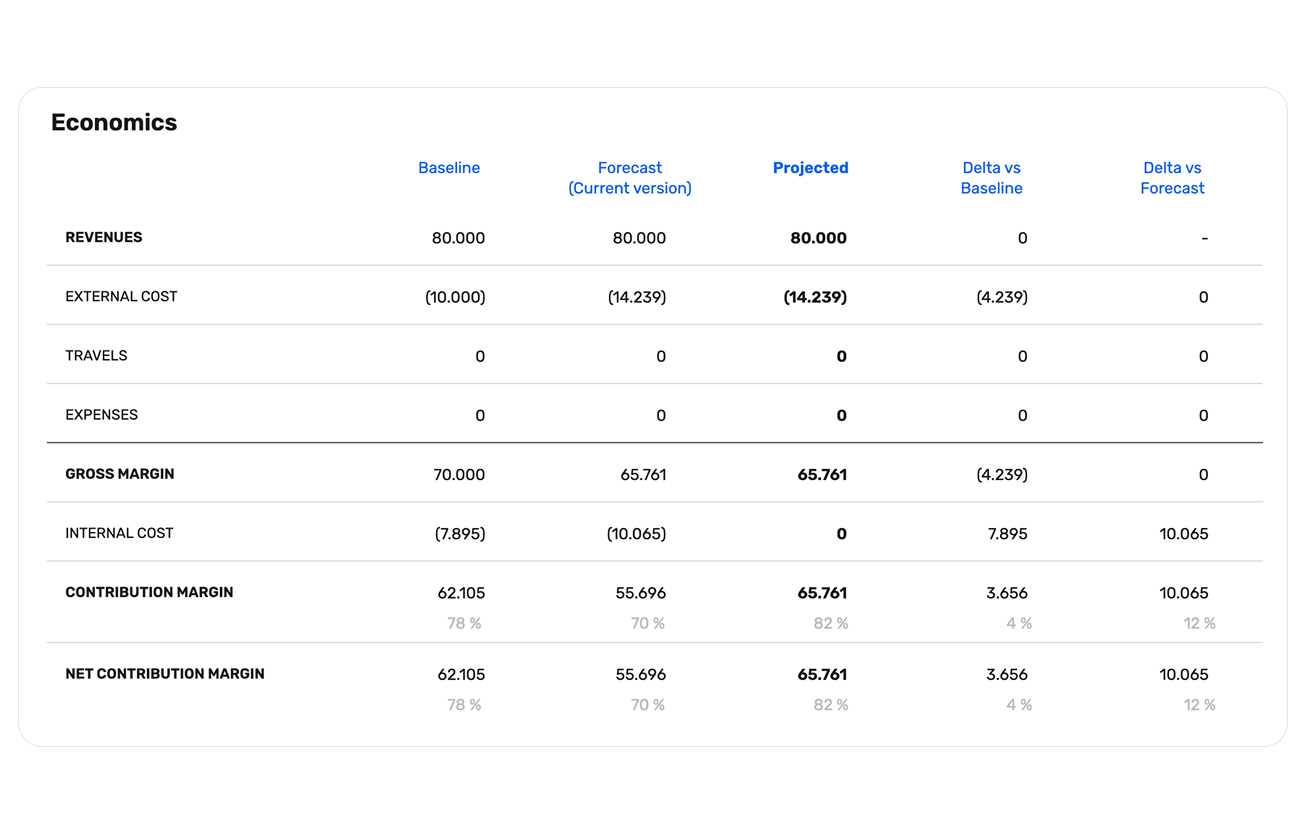
Stop waiting until the end of a project to crunch the numbers. wethod reconciles project progress with timesheet data to give you total control over your margins while the work is still in progress.
Margins always under control
Monitor your project’s financial health at any moment and see exactly where you're headed. wethod projects current trends onto the final delivery: "at this rate, you’ll consume 150% of the budget." This critical alert allows you to adjust your course or renegotiate before it’s too late.
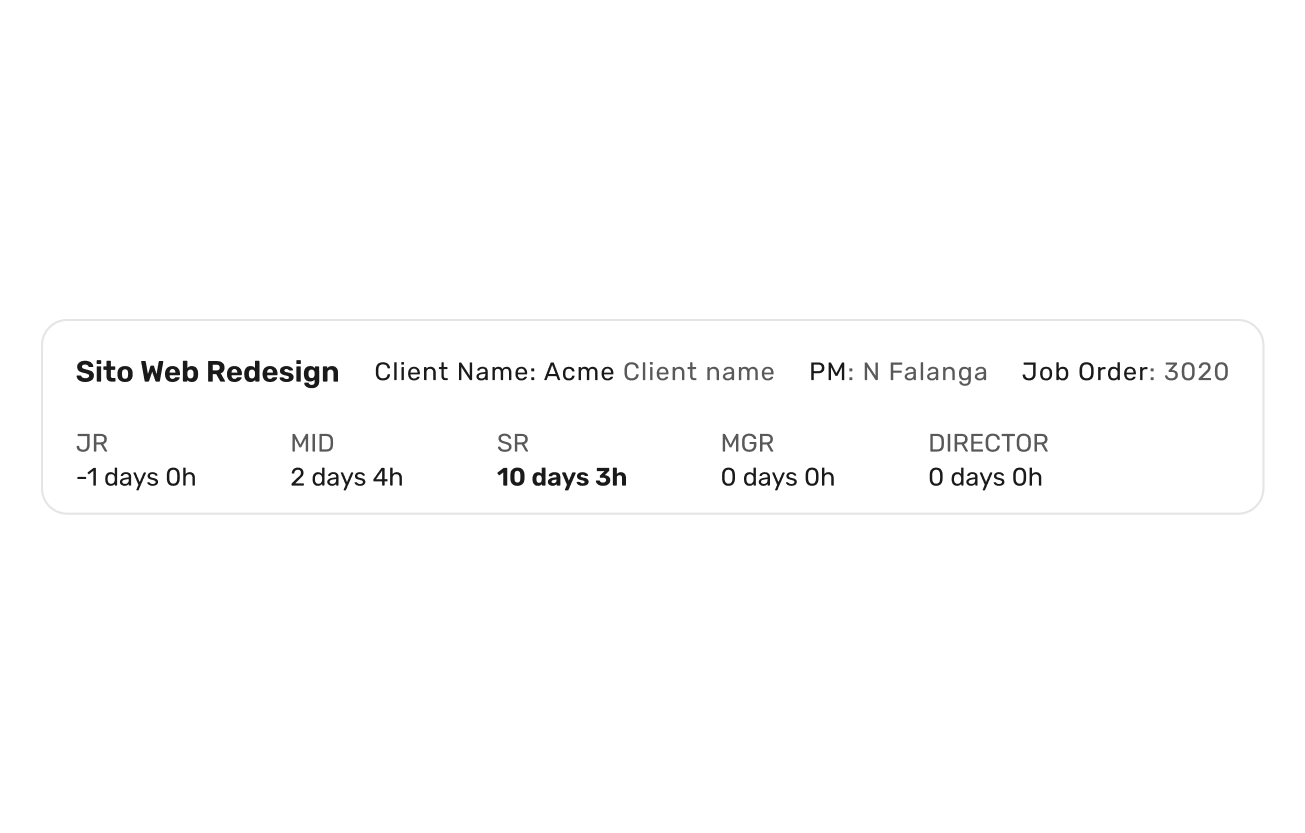
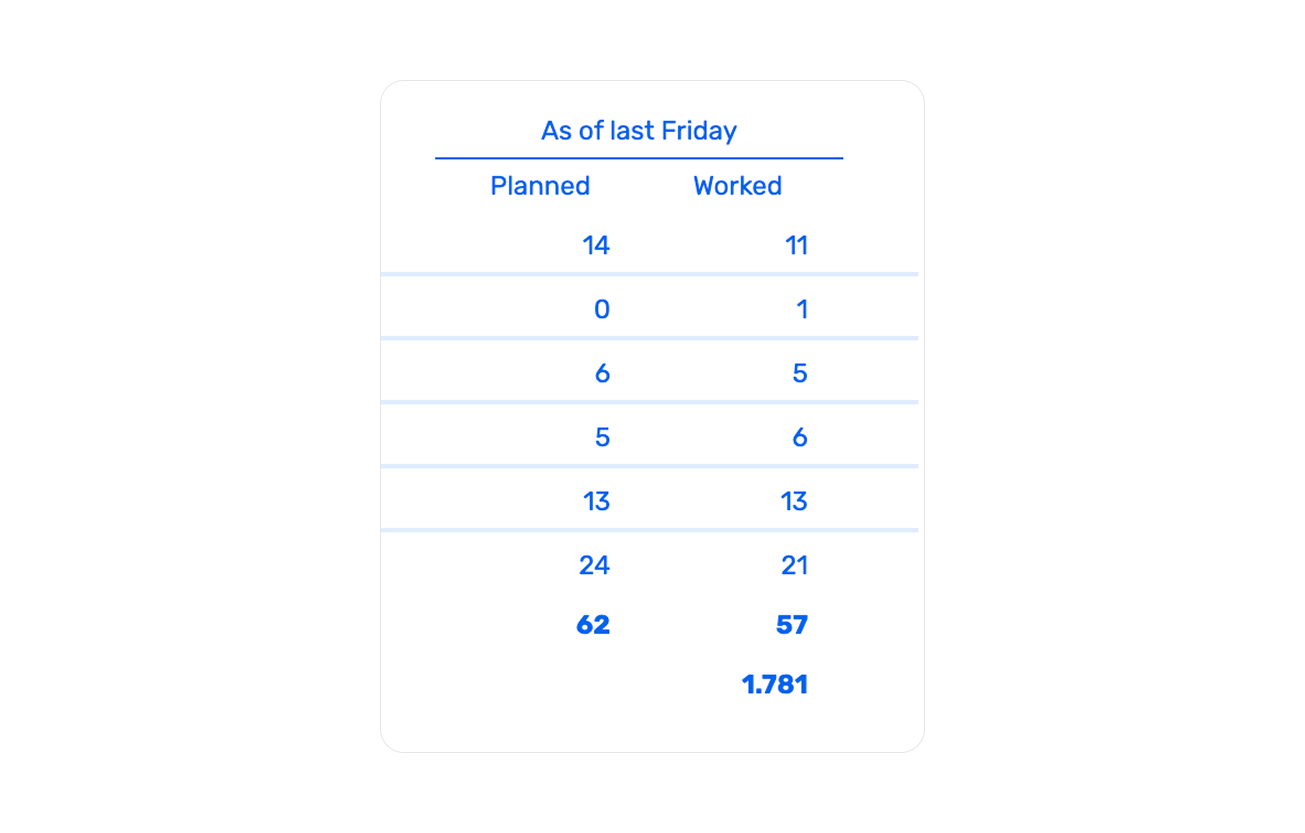
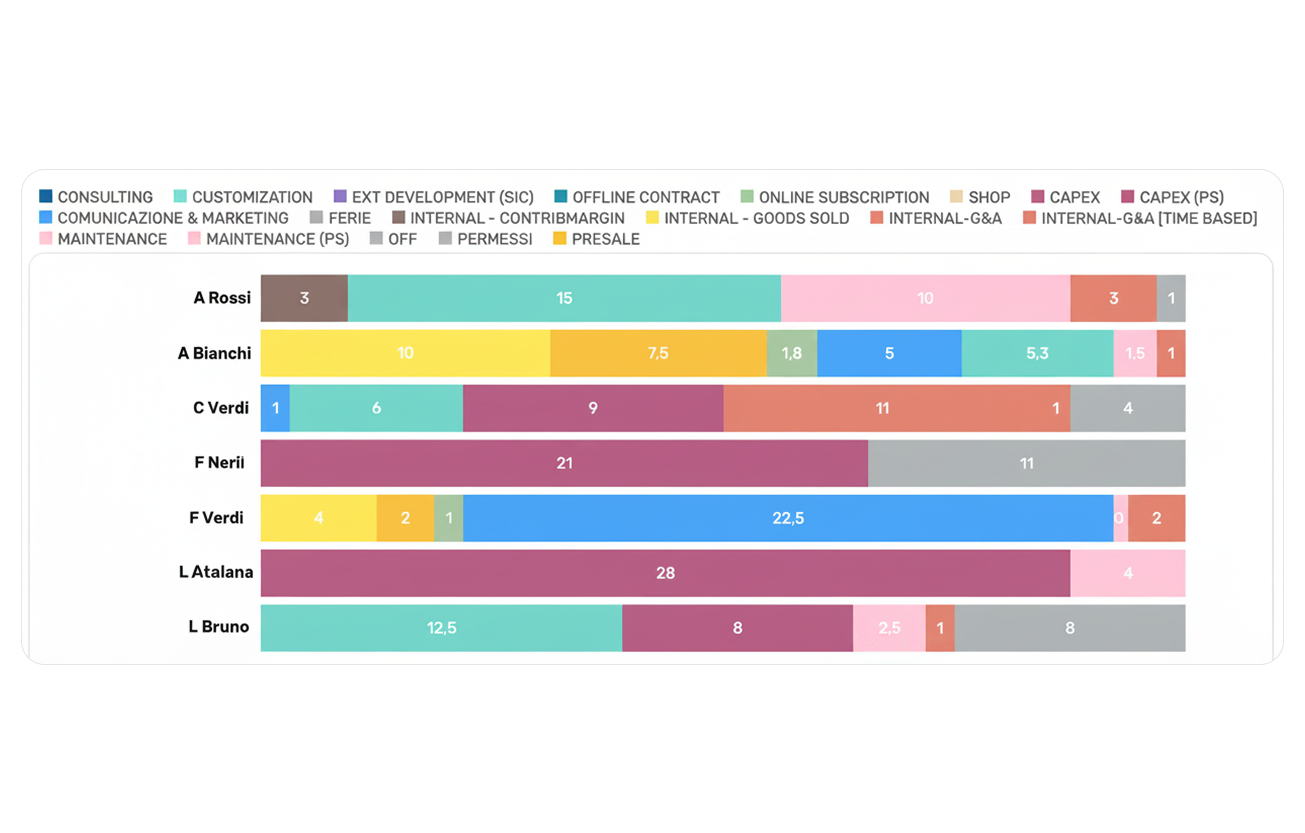
Planned vs worked
Drill down into the details for every resource. Compare the hours allocated in People Allocation with the actual hours logged in the Timesheet. Instantly see if everything is on track or if specific phases are burning through resources faster than expected.
Team management and export: your payroll department will thank you
Tracking isn’t just for PMs; it’s for those who keep the books balanced. wethod simplifies administration by turning hours worked into ready-to-use data, making month-end closing a simple formality.
Weekly timesheets
An aggregated view to monitor the entire team’s timesheets at a glance. See who has completed their week and who is behind, so you know exactly who needs that "gentle" Monday morning reminder.
Data export
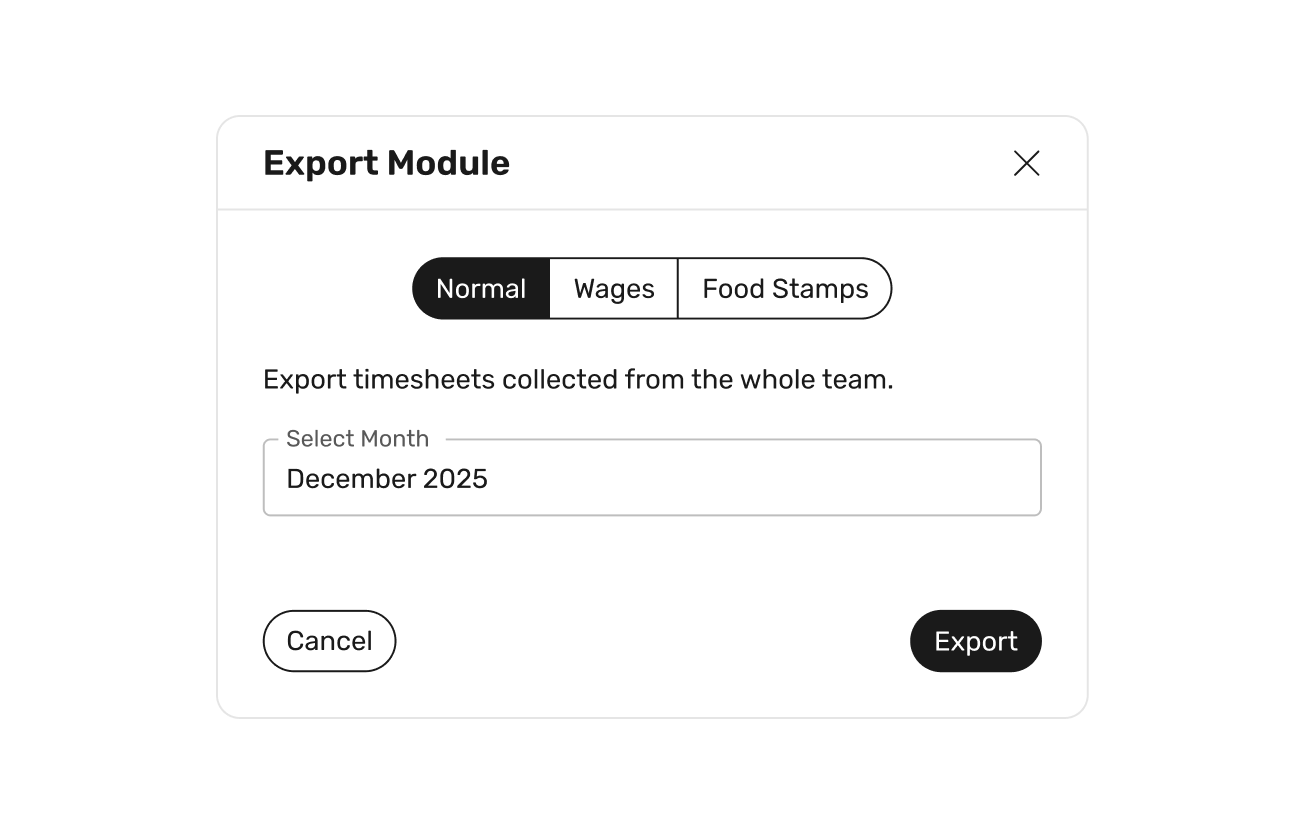
Need to send reports to your payroll consultant? Download an Excel file with one click, ready for payroll processing or external analysis. Clean, ready-to-use data without spending hours interpreting or reordering spreadsheets.
Make time tracking your ultimate superpower
Stop tracking time just to tick a box. Explore wethod and transform a boring task into the strategic tool you need to safeguard your profitability.
Thank you! We will contact you as soon as possible
Oops! Something went wrong.
Do you still have doubts?
We're not the oracle, but maybe we still have some answers for you below.
Wethod's time tracking is an integrated reporting system synced with your budget and planning. Hours logged by the team automatically update remaining budgets, end-of-project projections, and profit margins, turning the timesheet into a strategic decision-making tool.
Yes. Logged hours automatically update the project’s remaining budget. Unused hours become available again, while extra hours are deducted—all without any manual intervention.
Absolutely. wethod combines logged hours, planning, and project status to show you in real time if a project is consuming more budget than expected, allowing you to intervene before it’s too late.
wethod costs €22 per user/month + VAT and includes all the platform's features.
The price also includes: → initial configuration and setup with our team’s support → personalized training sessions via video call, tailored to your teams → data import (we provide Excel templates, and our dev team handles the upload) → ongoing support via a dedicated Slack channel for the duration of your subscription
Find out more about our subscription plans at this link.
Yes! You can request a free, personalized demo to discover how wethod can help you bring meaning to your company's work, simplify processes, and improve control over projects and margins. During the demo, you’ll see every feature in action and can discuss any questions or curiosities with one of our experts. After the call, you’ll also be able to access a free trial of the platform.






'%3e%3cg id='Final-Copy-2_2_' transform='translate(1275.000000, 200.000000)'%3e%3cpath class='st0' d='M7.4,12.8h6.8l3.1-11.6H7.4C4.2,1.2,1.6,3.8,1.6,7S4.2,12.8,7.4,12.8z'/%3e%3c/g%3e%3c/g%3e%3c/g%3e%3cg id='final---dec.11-2020'%3e%3cg id='_x30_208-our-toggle' transform='translate(-1275.000000, -200.000000)'%3e%3cg id='Final-Copy-2' transform='translate(1275.000000, 200.000000)'%3e%3cpath class='st1' d='M22.6,0H7.4c-3.9,0-7,3.1-7,7s3.1,7,7,7h15.2c3.9,0,7-3.1,7-7S26.4,0,22.6,0z M1.6,7c0-3.2,2.6-5.8,5.8-5.8 h9.9l-3.1,11.6H7.4C4.2,12.8,1.6,10.2,1.6,7z'/%3e%3cpath id='x' class='st2' d='M24.6,4c0.2,0.2,0.2,0.6,0,0.8l0,0L22.5,7l2.2,2.2c0.2,0.2,0.2,0.6,0,0.8c-0.2,0.2-0.6,0.2-0.8,0 l0,0l-2.2-2.2L19.5,10c-0.2,0.2-0.6,0.2-0.8,0c-0.2-0.2-0.2-0.6,0-0.8l0,0L20.8,7l-2.2-2.2c-0.2-0.2-0.2-0.6,0-0.8 c0.2-0.2,0.6-0.2,0.8,0l0,0l2.2,2.2L23.8,4C24,3.8,24.4,3.8,24.6,4z'/%3e%3cpath id='y' class='st3' d='M12.7,4.1c0.2,0.2,0.3,0.6,0.1,0.8l0,0L8.6,9.8C8.5,9.9,8.4,10,8.3,10c-0.2,0.1-0.5,0.1-0.7-0.1l0,0 L5.4,7.7c-0.2-0.2-0.2-0.6,0-0.8c0.2-0.2,0.6-0.2,0.8,0l0,0L8,8.6l3.8-4.5C12,3.9,12.4,3.9,12.7,4.1z'/%3e%3c/g%3e%3c/g%3e%3c/g%3e%3c/g%3e%3c/svg%3e)